How to Download from Francetvinfo.fr
Download, record and capture video and music from Francetvinfo.fr
Step by Step Guide on How to Download from Francetvinfo.fr
Easy instructions on how to download, record and capture high quality video fast from Francetvinfo.fr.
- Preparation
- Get the Francetvinfo.fr video page address from web browser
- Enter the Francetvinfo.fr video page address in Jaksta Media Recorder
- Jaksta Media Recorder extracts Francetvinfo.fr video streams
- Jaksta Media Recorder downloads the selected Francetvinfo.fr stream quality and format
Preparation
- Download the Jaksta Media Recorder installer;
- Install Jaksta Media Recorder by running the downloaded installer;
- Once installed, start Jaksta Media Recorder from the Windows Start Menu;
- Open your favorite web browser such as Chrome, Firefox or Edge;
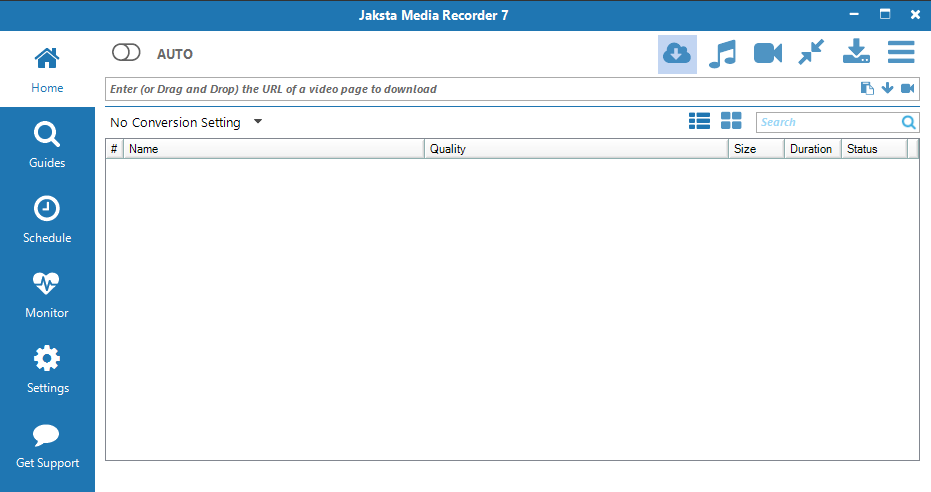
Get the Francetvinfo.fr video page address from the web browser
- Navigate your web browser to Francetvinfo.fr and the page hosting the video or music;
-
Copy the url of the Francetvinfo.fr page hosting the video or music.
Select
the Francetvinfo.fr url from the address bar and use Ctrl-C or right
mouse click
and select Copy from the context menu.;

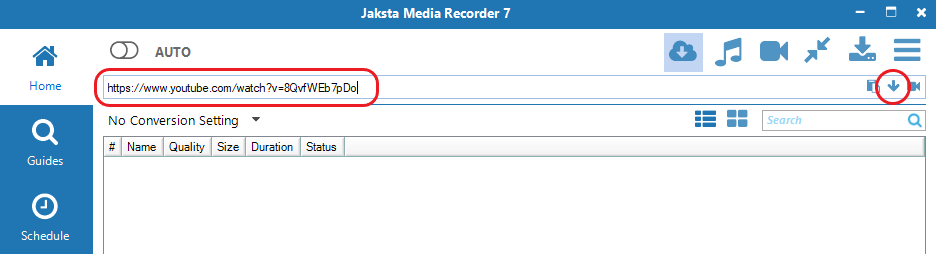
Enter the Francetvinfo.fr video page address in Jaksta Media Recorder
- Paste the Francetvinfo.fr url into the Jaksta Media Recorder's text box - Enter (or Drag and Drop) the URL of a video page to download using Ctrl-V;
- Press enter or click the down arrow ;
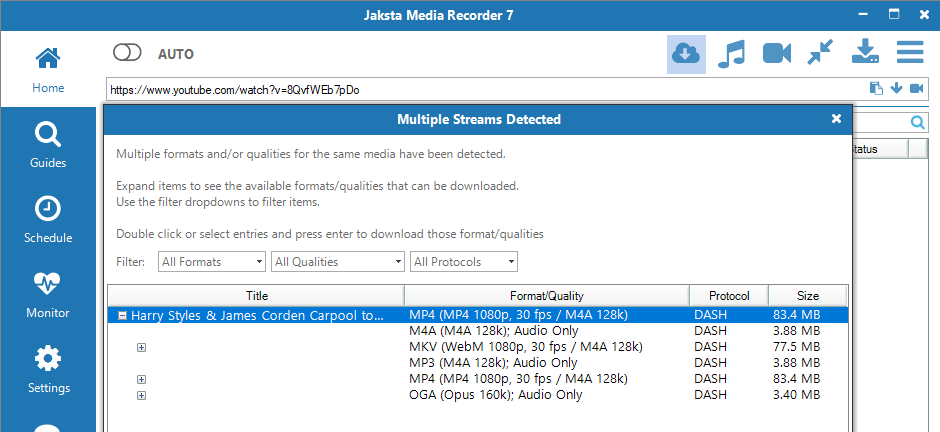
Jaksta Media Recorder extracts Francetvinfo.fr video streams
- The Francetvinfo.fr video will be detected and begin to extract on the Home screen;
- If multiple qualities or formats are available for
the Francetvinfo.fr video then these will be displayed in the Multiple
Streams Detected popup window.
To download the format/quality combination you want, double click the entry;
Jaksta Media Recorder downloads the selected Francetvinfo.fr stream quality and format
- The Francetvinfo.fr video stream will then begin to
download on
the Home screen;
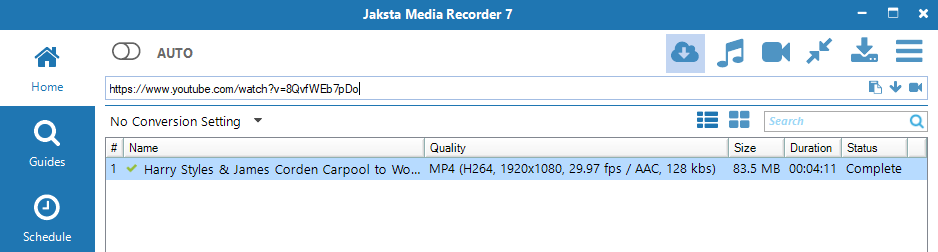
- Once the Francetvinfo.fr video download is complete, double click the download entry to watch it in your favorite video player.